AI SONG GENERATOR / TUNE MUSIC
Text to song
with AI.
Describe the sound, mood, and story you want. Tune Music turns your prompt into an original song on your iPhone.
Try the AI song generator ↗How to generate a song from text
Start with a story, a mood, or a sound you want to hear. Tune Music is an AI song generator for iPhone that uses your text as the starting point for music. You do not need to record an instrument or write every lyric before trying an idea.
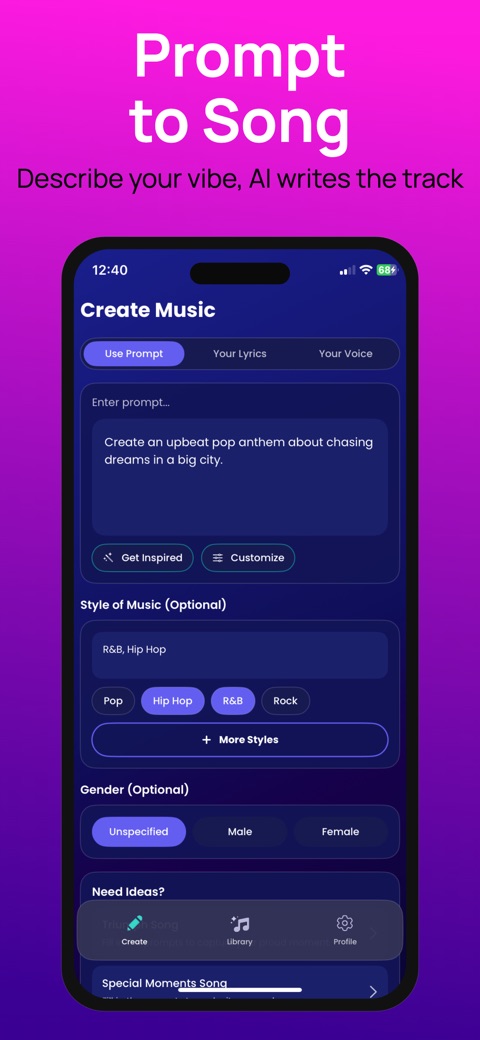
- Open Create in Tune Music and choose Use Prompt.
- Describe the subject, energy, and instruments you imagine. A short, focused paragraph is easier to refine than a list of unrelated requests.
- Use Style of Music to choose a direction, such as pop, hip hop, R&B, or rock. You can also type a style.
- Start generation, then listen to the result in your library. Compare the chorus, vocals, and arrangement with the idea you wrote.
A prompt you can adapt
EXAMPLE INPUT — NOT A GENERATED AUDIO DEMO
An upbeat indie pop song about moving to a new city, warm guitar, light drums, and a hopeful chorus.
Replace the story first: a new job, an old friend, or a drive home after rain. Keep the musical direction steady so you can hear how the topic affects the song. For a different arrangement, change the instruments or energy in the next prompt.
When to use prompt, lyrics, or voice
Choose a prompt when you have an idea but have not written the words. Choose Your Lyrics when the words are the part you want to supply. Choose Your Voice when you want to use a recorded voice reference.
What to know before creating
Generation uses an internet connection. Availability can depend on your subscription and credits; check the app for current options. AI output can vary between requests, so listen before saving or sharing a version. The app is a music creation tool, and these examples are suggested inputs rather than promises of a particular result.